Pixel Plot
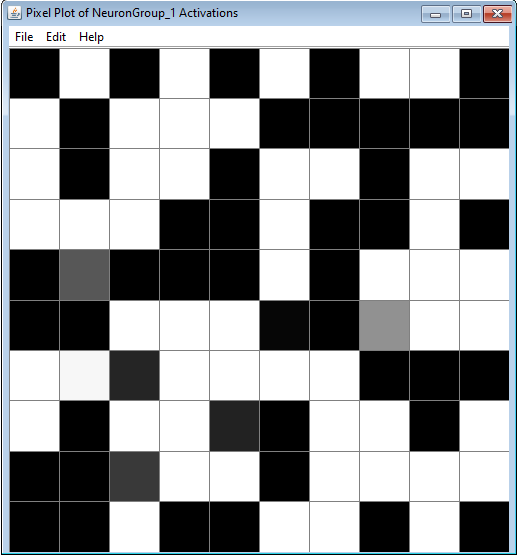
A simple pixel representation of an array or matrix of values. A common use is to represent activations of a neuron collection or neuron array.
When coupling to this plot, an appropriate number of pixels are selected and “squared”. For example, an array of 24 or 25 values is represented by a 5x5 array, in the former case with one pixel unused.
Use the plot by coupling to setBrightness, setRed, setGreen, or setBlue. All channels assume values between 0 and 1. To understand the results, study how the RGB color space works. The red, green, and blue channels can be simultaneously coupled to simulate color mixing, but note that brightness writes to all three channels, so if you use brightness and the RGB channels you could get counter-intuitive results.
Menus
File
- Import from XML: Load a previously saved pixel plot.
- Export to XML: Save the current pixel plot.
- Rename: Rename the pixel plot window.
- Close: Close the pixel plot window.
Edit
- Preferences: Opens the preferences dialog.
Preferences
- Invert Brightness: By default, (0,0,0) in RGB space maps to black and (1,1,1) to white. When checked, zeros are mapped to white and ones to black, which is more natural when representing neural activations. Only applies to the brightness channel.
Help
- Help: Link to Simbrain Documentation