Unsupervised Learning
Unsupervised learning in Simbrain involves training networks on input data without providing explicit target outputs. The network discovers patterns, structures, and relationships within the data itself. This contrasts with supervised learning, where the network is trained on input-output pairs.
Another form of unsupervised learning occurs at the level of individual synapses through local learning rules. These rules update synapse strengths based only on the activity of the pre-synaptic and post-synaptic neurons, without requiring global error signals. See synapses for details on configuring these rules.
Unsupervised Subnetworks
Several subnetwork types provide training dialogs with a single input data table. These networks learn to organize, cluster, or compress the input data:
- Competitive Networks: Neurons compete to respond to input patterns, with the winner updating its weights to better match the input
- Self-Organizing Maps (SOM): Neurons organize into a topographic map that preserves neighborhood relationships in the input data
- Hopfield Networks: Networks that learn to store and retrieve patterns, functioning as associative memory
- Restricted Boltzmann Machines: Energy-based models that learn probability distributions over input data using contrastive divergence
These subnetworks provide a dialog similar to the supervised training interface, but with just one data table instead of separate input and target tables.
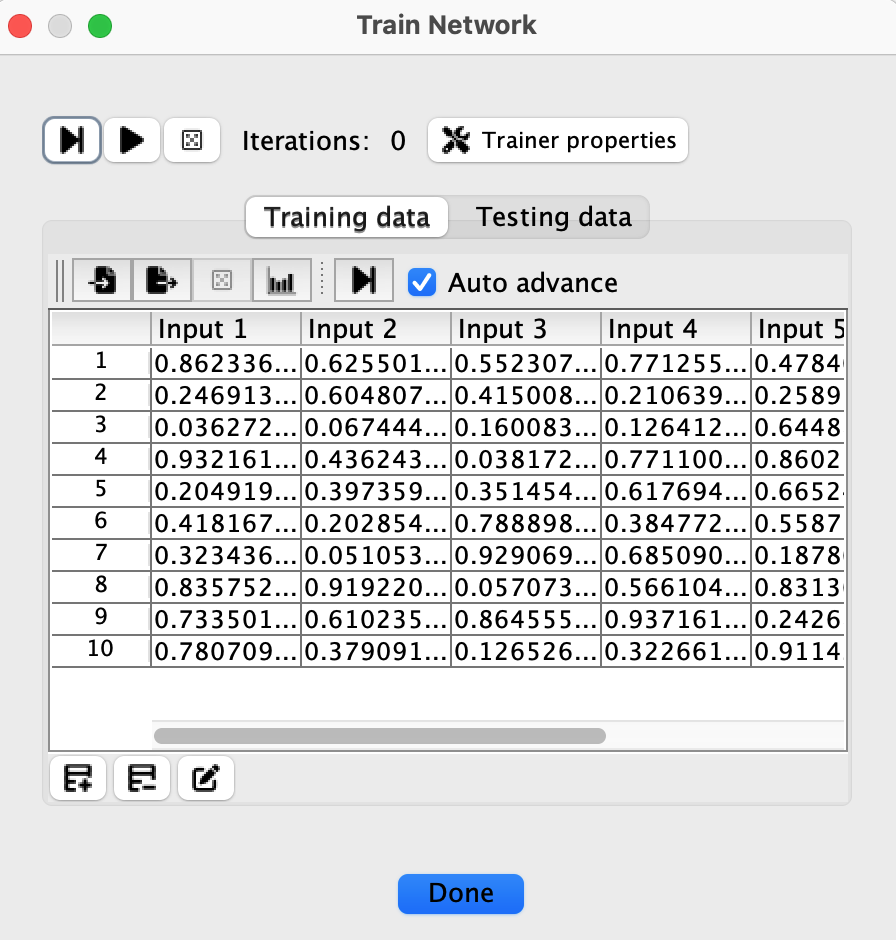
Each row represents an input pattern, and columns correspond to input neurons. The network processes these patterns to discover underlying structure without being told what outputs to produce. Unlike supervised learning, there is no target or label data. The network’s learning objective is determined by its architecture and learning algorithm rather than by matching desired outputs.
Training Controls
The training dialog provides several controls:
- Step button: Trains once through the entire dataset (one iteration)
- Play/Stop button: For SOM and Competitive networks only, runs training continuously until stopped or max iterations reached. Hopfield and RBM networks use single-pass training and do not have this button.
- Randomize button: Randomizes network weights and resets the iteration counter
- Iterations display: Shows the current iteration count. Double-click on the iterations label to reset the counter to 0 without randomizing weights.
- Trainer properties button: Opens a dialog to configure training parameters like learning rate and max iterations
A common way to train these networks is to create a pattern in the main network and train it directly using the context menu commands. You can use Train once on current pattern (keyboard shortcut: T) to train for one iteration, or Train on current pattern... to specify a number of iterations. You can also add patterns to the training dataset using Add Current Pattern to Training Data and then train on the full dataset.