Language Models
Language models, which encompass large language models (LLMs) like ChatGPT, use the modern transformer architecture to generate natural language. Simbrain includes two LLM simulations that make a model’s running computation visible on the network canvas.
Simulations > Language > Tiny Language Model is a small GPT-style transformer for learning. It begins untrained, so you can choose your own text, train it, and run it to generate text and observe how it works.
Simulations > Language > (Beta) Pretrained Language Model (LFM2.5) runs the pretrained LFM2.5-230M model locally with a Text World context window. While the tiny language model is more or less a toy model that reproduces the text it is trained on, with limited generalization, LFM is a full working model, akin in performance to early versions of GPT.
Click a tile or operation glyph to select it, drag empty space to marquee-select, drag a tile to rearrange the diagram, and double-click a tile to trace its input and output paths. Hovering reveals values, shapes, selected-head information, and operation descriptions.
Note: This documentation page is still being developed. If you have corrections or comments, please contact us.
The LLM Engine
Under the hood, these LLM simulations use a tensor-based engine that complements Simbrain’s usual neuron, array, and trainer libraries. It represents transformer computations as explicit tensor operations, with an operation plan and training tape for the small teaching model. Its tensors use off-heap storage, outside Java’s normal garbage-collected heap, and BLAS operations. This makes it practical to run the same style of matrix calculations used by contemporary language models while preserving intermediate values for training and inspection.
The pretrained simulation loads the model’s original safetensors weights and tokenizer rather than converting them into a conventional Simbrain training network. The engine can execute those weights locally, retain the activations and caches needed for generation, and expose weights, tensor values, operations, attention heads, and next-token predictions through the diagram.
Main Components
Language-model diagrams are necessarily dense: a single generated token passes through many learned projections, normalization steps, attention heads, caches, and residual additions.
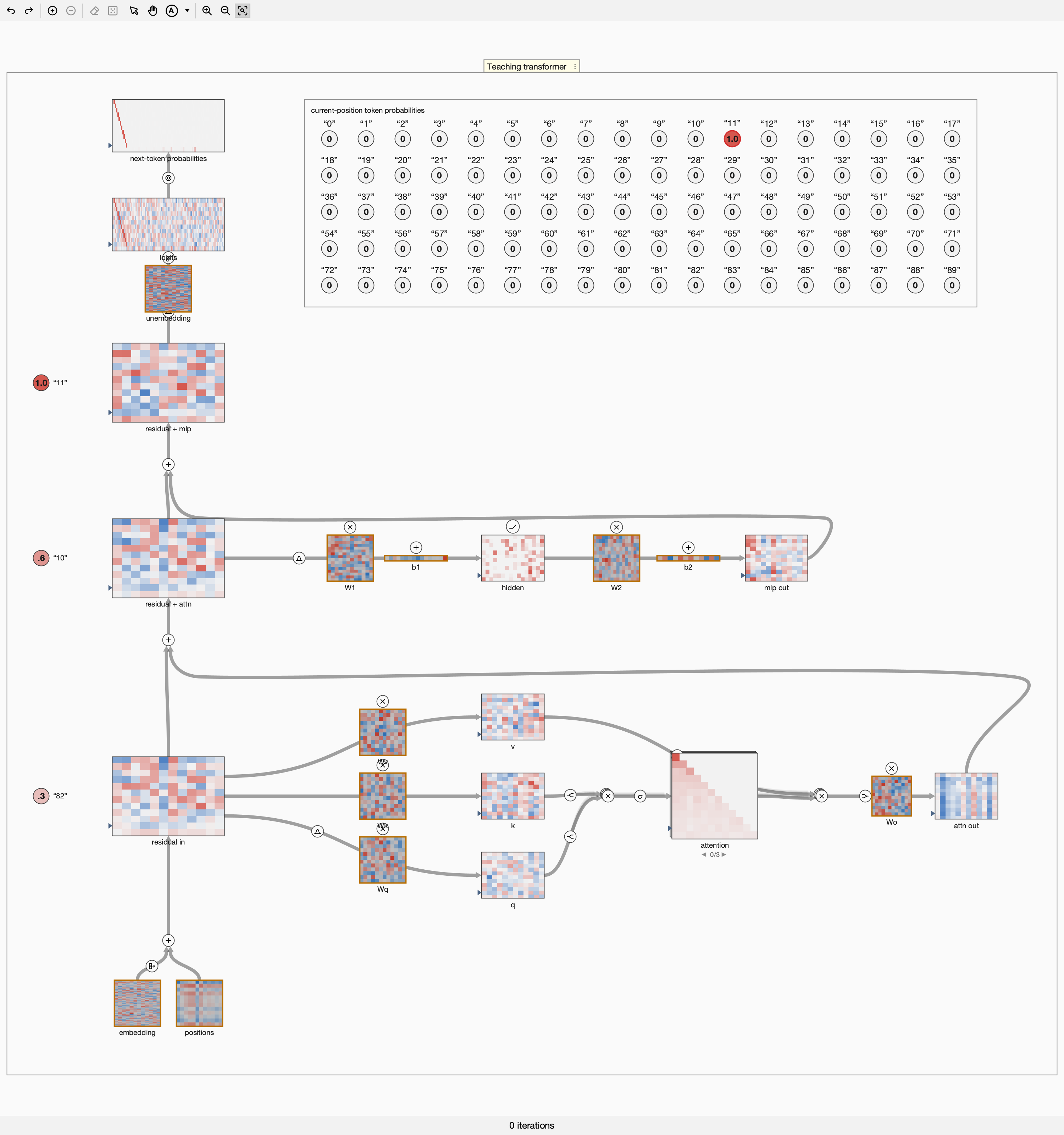
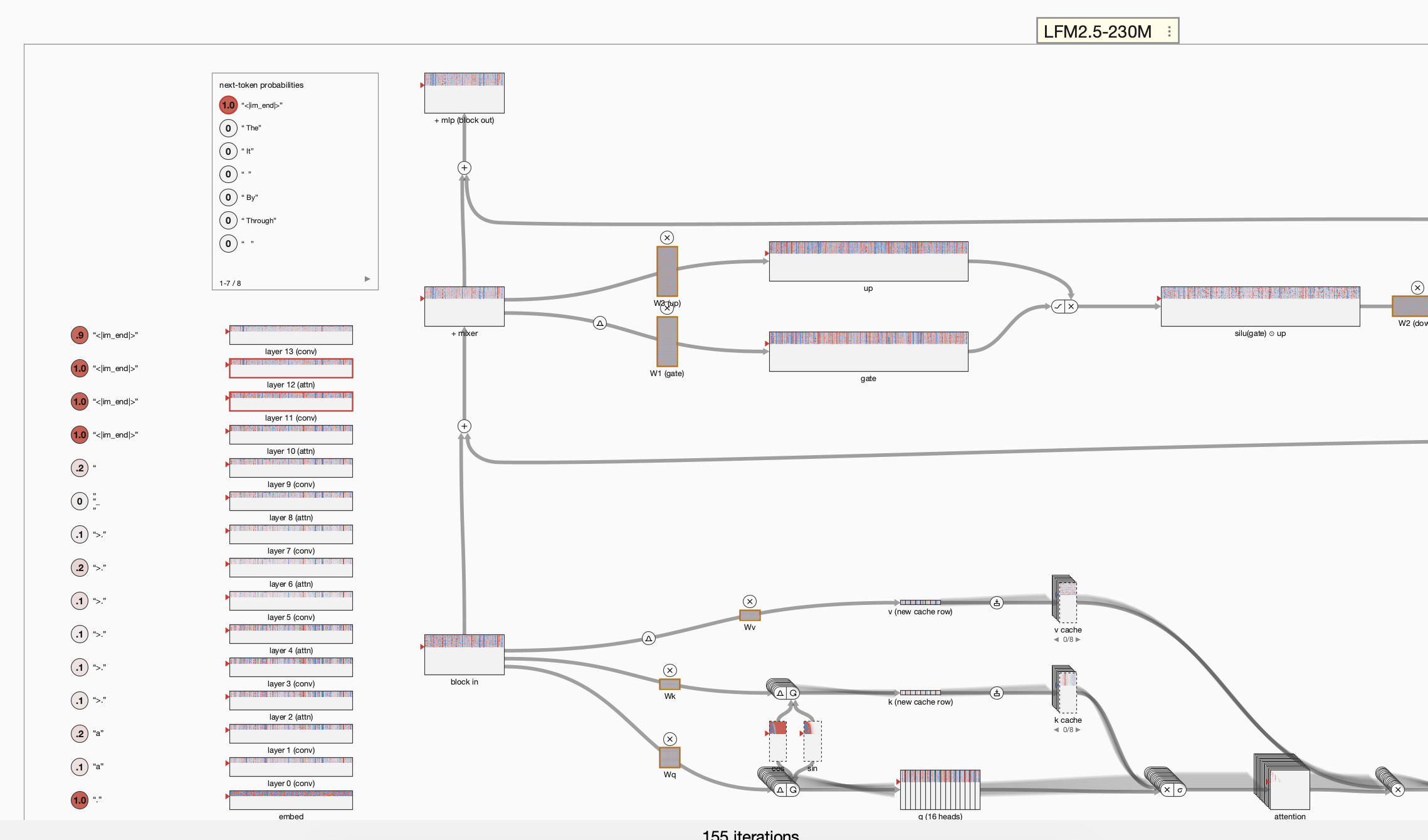
Data flows from bottom to top in all three figures.
The tiny language model contains most of the components shown below.
LFM2 has two main displays, depending on whether an attention or convolutional layer is selected. This is the attention-layer view.
This is the convolutional-layer view. Its one-dimensional convolution moves a short, shared kernel across nearby tokens. Like image convolutions, it preserves local structure through weight sharing, but avoids the full pairwise attention calculation and its intermediate activations.
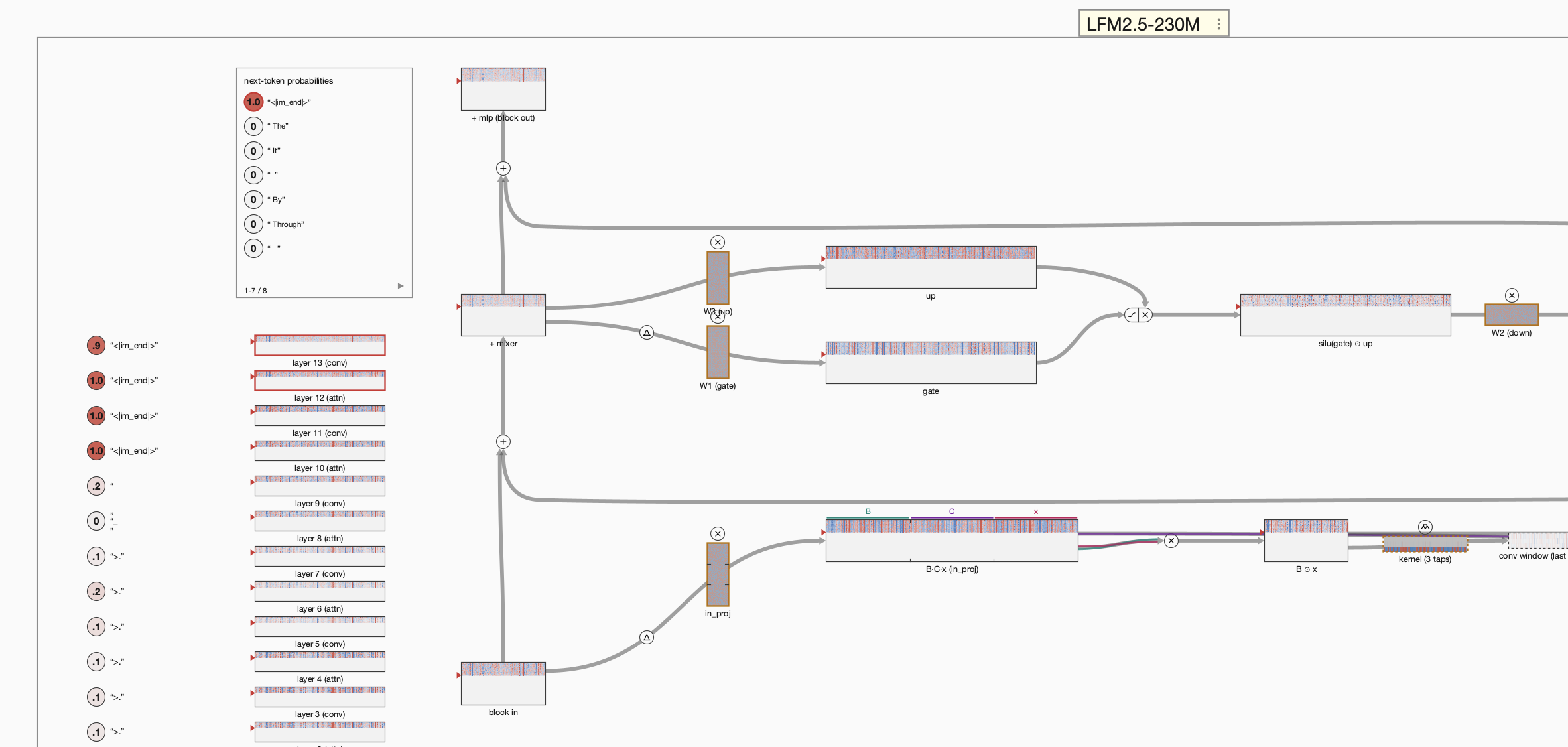
Diagram Legend
This section defines the main interface elements.
- Tensor tile: A colored rectangle showing a tensor. Hover over a cell to see its exact value. Tall activation tiles have one row per token or context position; a dashed border marks a magnified view.
- Token history: In pretrained LFM2, many tall-tile rows are a retained display history. The model normally holds only the current token’s activations plus the state required for future tokens. Its context menu can ghost or hide the recorded rows to make that distinction visible.
-
Residual stream: The wide vertical tiles are the model’s shared working state. The straight vertical ribbons are skip connections, and each branch returns a correction to this stream.
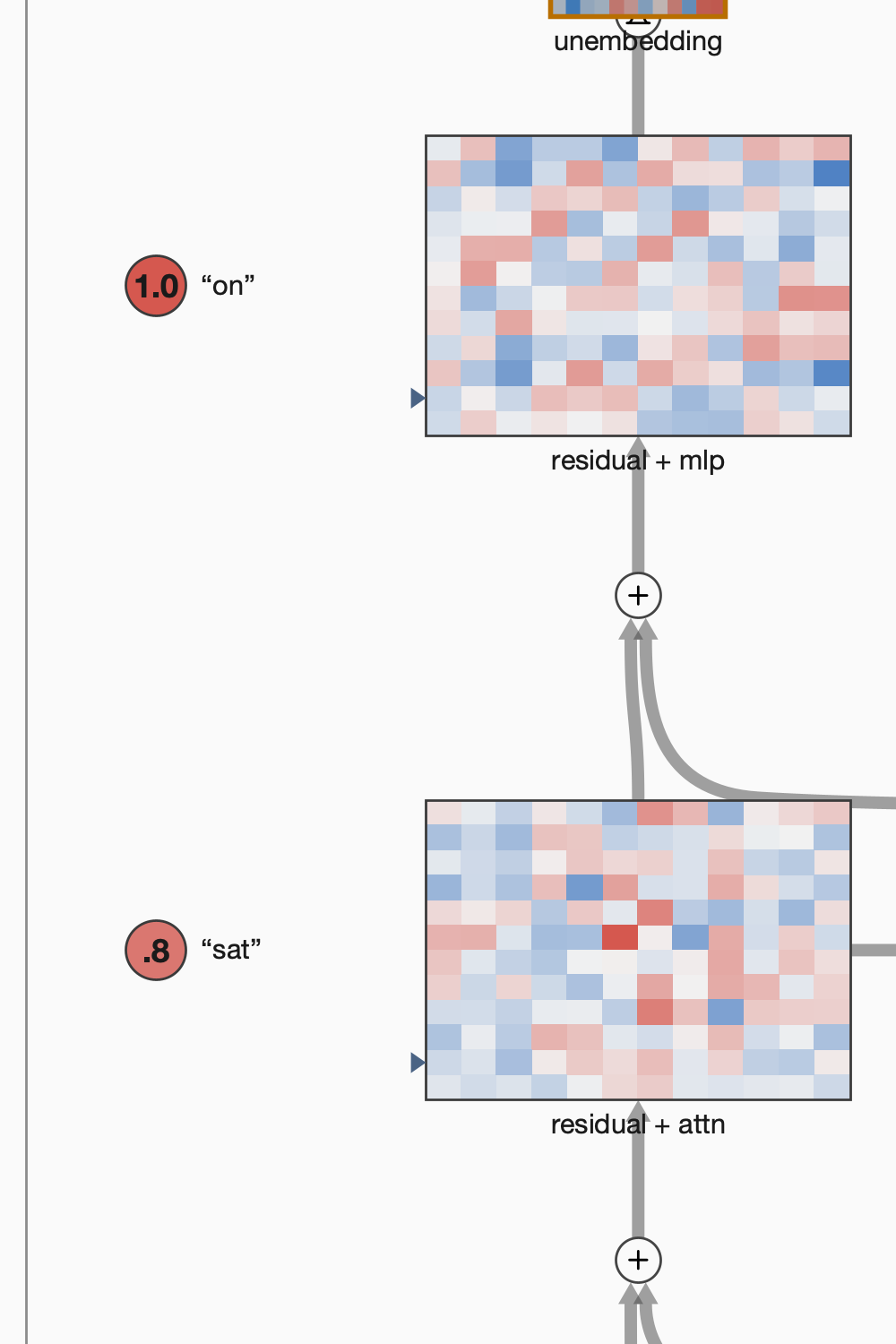
- Parameter tile and bias strip: A heavier orange border marks learned weights. A narrow orange-bordered strip is a bias vector. The tiny language model updates these during training; pretrained LFM2 displays existing weights but does not train them.
- Connector ribbon: A gray ribbon carries a tensor between tiles. A group of faint ribbons beside it represents parallel head-wise streams. Tick marks and colored segments show how a tensor is partitioned into heads or fused projection chunks.
 Addition: Adds inputs, including the corrections that update the residual stream.
 Multiply: Matrix multiplication for a projection, or element-wise multiplication where a branch combines values.
 Layer normalization: Normalizes a token representation before a transformer operation.
-
 Normalize and position attention heads: This two-part glyph in LFM2 first RMS-normalizes each query or key head, then applies rotary position encoding (RoPE), so attention can use both content and token position.
  Softmax: Converts scores into a normalized distribution, including the attention distribution.
 Cross-entropy: Compares a tiny language model prediction with its target during training.
 Embedding lookup: Converts a token into its vector representation.
-
 ReLU: Applies a rectified linear activation, keeping positive values and replacing negative values with zero.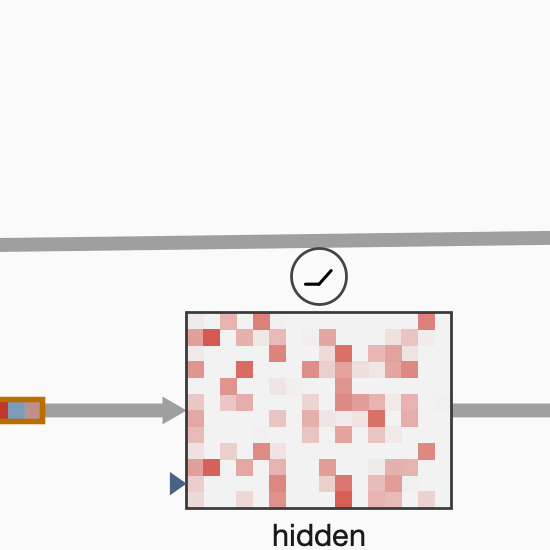
 Split heads: Divides a representation into independent attention heads.
 Merge heads: Recombines attention heads for the output projection.
 Update attention memory: In LFM2, this arrow-into-a-tray glyph splits the current key or value vector into head segments and appends them as a new row in the key/value cache. Later tokens attend to those cached rows.
-
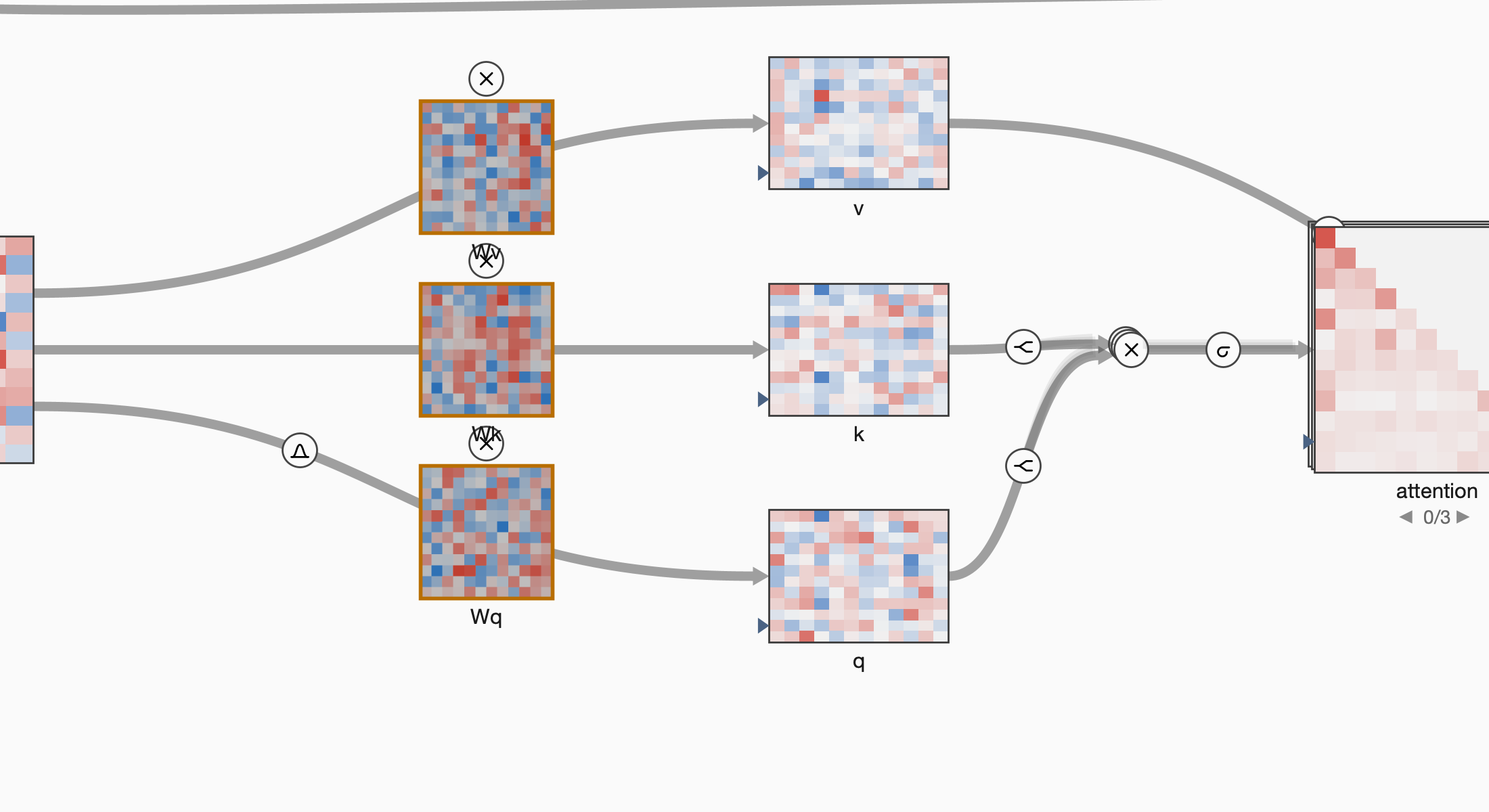
Q, K, and V routes: Wq, Wk, and Wv are learned projections. Their output tiles are query, key, and value. Query and key form attention scores; softmax normalizes them; those weights mix the values.
-
 Explorable head deck: A stack of cards means that several heads occupy one diagram position. Scroll over it or use the arrows to select a head. The
 0/3indicator identifies the visible head.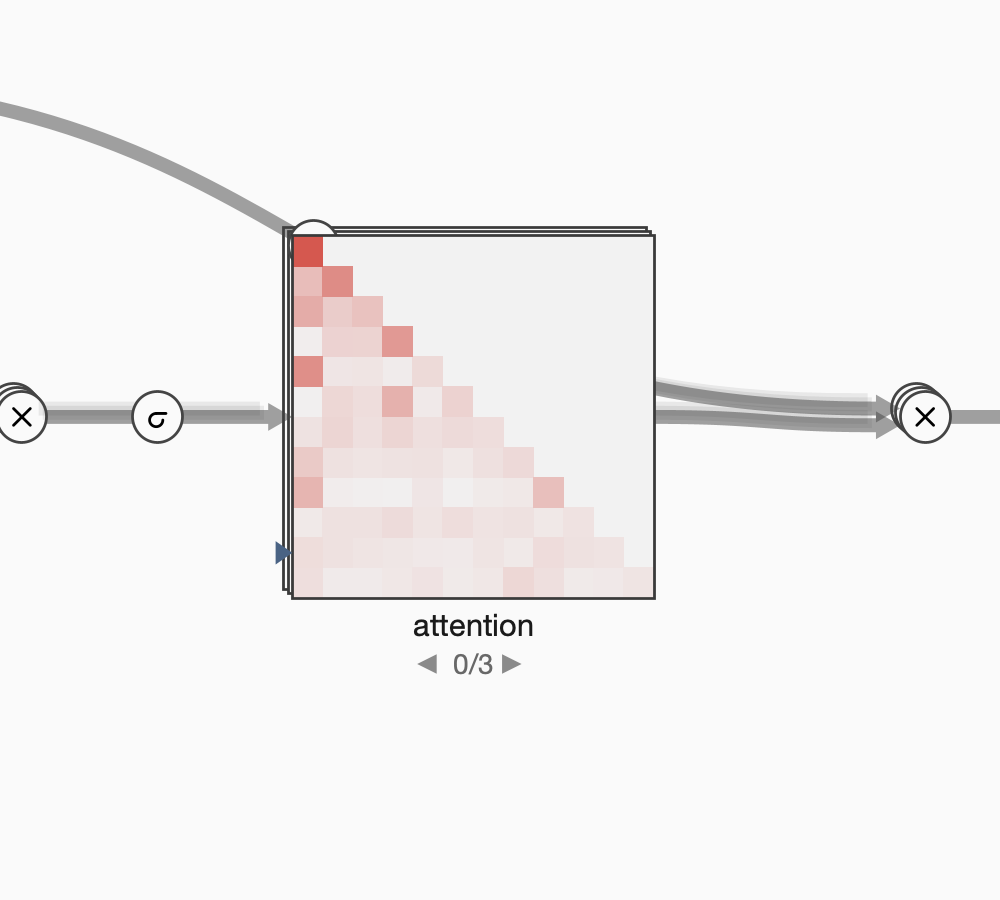
- Attention heat map: Cell i, j shows how much token i attends to token j. Future cells are zero because the causal mask prevents tokens from attending to the future. In LFM2, selecting an attention head also selects its matching key/value cache group.
 Layer selector (depth strip): The narrow stack at the left of an LFM2 diagram contains a miniature residual checkpoint for every model layer, with its logit-lens readout. Click or scroll a row to choose the layer whose attention or convolution anatomy appears at full size. The unused attention or convolution limb can remain faintly visible for orientation or be hidden from the context menu.
- Logit lens: The token circles beside residual checkpoints show what each intermediate residual state would predict. They let you watch a prediction develop through the model.
-
Next-token probabilities: The final logits and softmax produce a probability for every vocabulary token. This is a distribution, not a one-hot output; the red circle marks the token selected for the next step. The tiny language model shows all tokens as a scrollable grid.
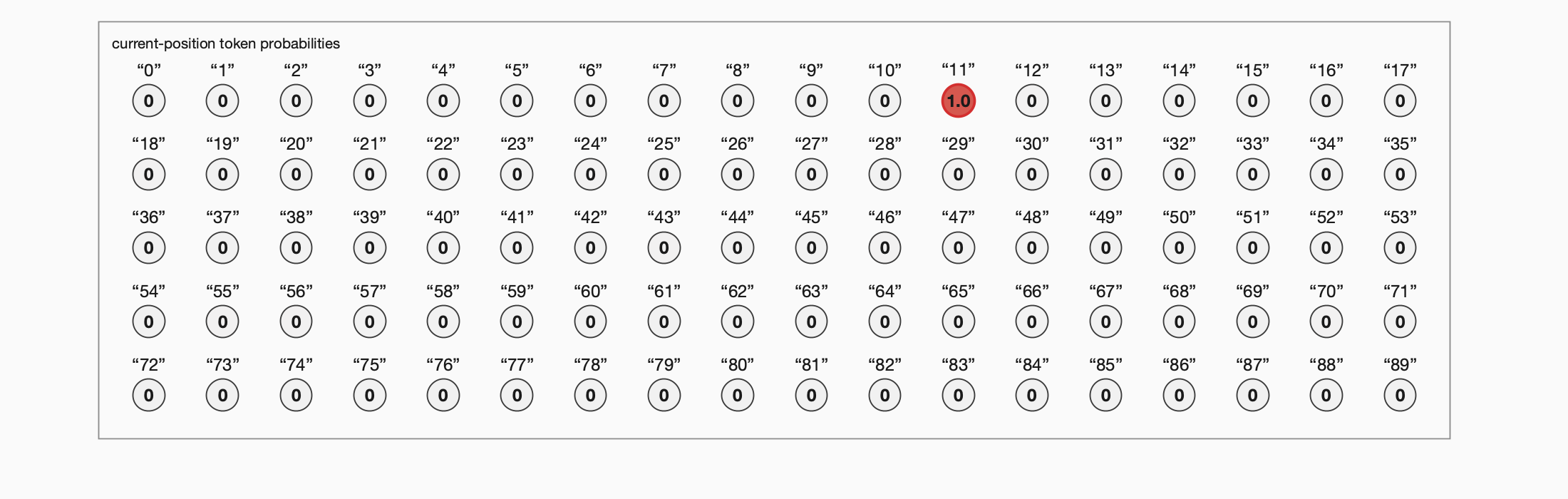
LFM2 uses the same card in ranked-candidates mode, showing the highest-probability tokens rather than its entire large vocabulary. It also includes the sampled token if it falls outside that ranked list.
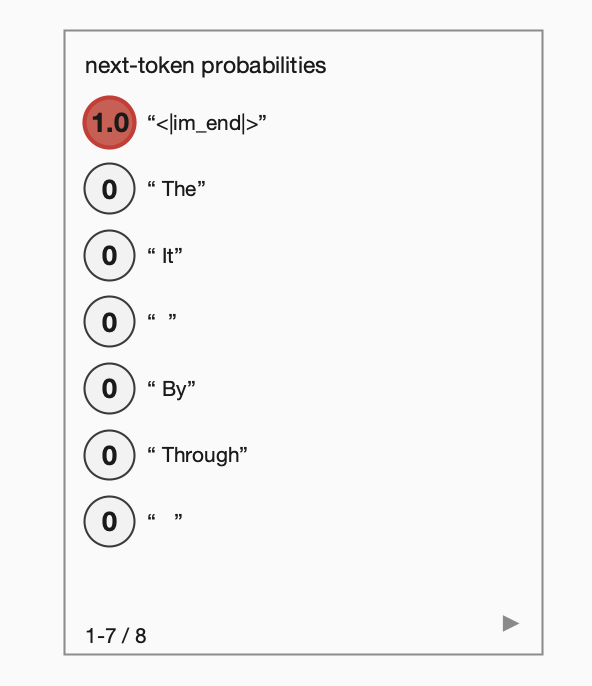
- Step walks and gradients: In the tiny language model, right-click the header to train or step a forward pass or training step one operation at a time. The active operation glows, future tiles dim, and a training walk can show gradients flowing backward. In LFM2, running the workspace processes the Context Window and generates text one token at a time.
Menus and Dialogs
Right-click a language model’s header to open its context menu. Both models provide the standard Cut, Copy, Paste, Duplicate, and Delete commands, plus Rename... to change the header label and a Couplings submenu for connecting the model to other workspace components.
Tiny Language Model
- Edit Tiny Language Model…: Opens the model settings dialog.
- Learning rate: Sets the Adam optimizer’s step size during training.
- Sampling temperature: Makes next-token probabilities sharper below 1 or more evenly spread above 1 before sampling.
- Diagram scale: Changes the size and spacing of tensor tiles without changing the size of labels and operation glyphs.
- Sampling strategy: Chooses how the next token is selected. Greedy always selects the most likely token, Top K samples from the k most likely tokens, and Top P samples from the smallest group of tokens whose combined probability reaches p.
- Train…: Opens the training dialog.
Trainruns repeated training iterations,Stopends a running training session, andStepruns one iteration. The dialog also shows the iteration count, loss, accuracy when available, the number of training windows, and a loss plot. - Step forward pass one op: Runs one operation in the current forward pass. The active glyph glows and tiles not yet computed are dimmed. Shortcut:
F. - Step training one op: Walks one complete training step one operation at a time, first forward and then backward through the gradients. Shortcut:
B. - Finish current step walk: Completes the remainder of an operation-by-operation forward or training walk. Shortcut:
Shift-B. - Clear context window: Clears the model’s current token context. Also clear the coupled Text Inputs document for a full reset, because its text is supplied again on the next workspace step.
- Show last training gradients: Replaces tiles with the gradients written during the most recent training step where available. It becomes available after a training step has calculated gradients.
Pretrained LFM2 Language Model
- Edit LFM2.5-230M…: Opens the generation settings dialog.
- Prompt mode: Completion continues the Context Window verbatim. Chat interprets it as a conversation and generates the model’s reply.
- Tokens to generate: Limits generated tokens beyond the supplied context. A value of 0 permits generation until the context window is full.
- Temperature: Controls the softmax temperature before sampling. Lower values favor more likely tokens, while higher values increase variation.
- Probability card candidates: Sets how many of the highest-probability next tokens appear in the canvas probability card.
- Sampling strategy: Chooses Greedy, Top K, or Top P sampling. Greedy selects the most likely token, Top K samples among the k most likely tokens, and Top P samples from the smallest group whose combined probability reaches p.
- Stop at end of text: Ends generation when the model produces its end-of-text token. Chat mode always stops at this token.
- Pause workspace when the run ends: Pauses the workspace when generation stops because of an end-of-text token, a full context window, or the token limit, so the Context Window can be edited.
- Clear context window: Clears the model’s token context. Also clear the coupled Context Window document for a full reset, because its text is supplied again on the next workspace step.
- Logit lens: Shows or hides the predicted-token readout at each residual-stream depth. Turning it off avoids an extra vocabulary-sized projection for each readout and can speed the display.
- Token history: Controls the display record of earlier token activations.
- Show: Records and displays every token’s activations.
- Ghost: Fades past-token rows, leaving the current token’s activations and the model’s caches prominent.
- Off: Displays only the current token and retains no history. Changing layers is faster; switching back to Show or Ghost reconstructs the history.
- Inactive limb: Controls the branch that the selected hybrid-model layer does not use.
- Ghost: Leaves the unused attention or convolution branch faintly visible for orientation.
- Hide: Removes the unused branch so only the selected layer’s anatomy is shown.
- Layer depth: Controls depth cards behind stacked tensor tiles.
- Show cards: Shows the layered-card cue behind each tensor stack.
- Current layer only: Hides the cards and shows only the selected layer.